Is it possible via Three's API to capture and transfer to a computer a single scan's color image + associated depth map for a small object (~40x40 mm) at a distance of ~150mm? If this is possible, how quickly can the scan be captured (best parameters case) and these data be transfered to a computer for additional processing? I would not need to create or transfer a mesh file os ideal << 4 seconds. Many thanks for any details you can share.
Hi jp, I have captured some depth maps using the API. I would think what you are trying to do would be possible. You do need to make sure the object is in the field of view for both cameras, so you may need to back away a bit further from the 150mm distance if you find you are cropping the object. From my experience, the depth maps take around 7 to 8 seconds to complete the operation and transfer the data.
Thank you Rob. This is very helpful. A slightly longer distance would not be problematic but I was hoping that the long scan transfer time could be reduced significantly if restricted to the depth map and color image only (no mesh file). Sounds like this is not the case. Do you know if there is an ROI option that can reduce the size of the data package transfered? Sry about there rather specific questions - this application depends on a relatively fast data transfer.
The Python API lets you request a single scan and retrieve both the color image and the associated depth map directly, but the scan still needs to process to generate the depthmap (Raw Mesh Calculations are practically Free in terms of computation). You would also need to move to 220 - 250 mm working distance for the reasons Rob mentioned above.
You can get faster processing times by picking the fastest settings (no noise reduction), lowest quality, and run the capture from a PC that has an ethernet connection to the scanner (Router or directly).
Theres no getting around processing the images into 3D data here though, but should still be within 4 seconds I think.
If you don't care about accuracy, you can always use the raw camera frames as stereo pairs and do the calculations on your side with OpenCV. Happy to help here if you want more information about this.
Here's an AI generated example because I can't test it at the moment (apologies).
# Example: capture color image + depth map with three-python-library
# Replace the imports or method names with the exact ones from your installed version
# of three-python-library if they differ.

import time
import numpy as np
from PIL import Image

# Hypothetical imports based on the documentation pages you linked
from three.scanner import Scanner
from three.MF.V3.Tasks.DepthMap import DepthMapTask

def capture_color_and_depth(scanner_addr=None, fast_mode=True, resolution=(512, 512)):
    s = Scanner()
    try:
        # connect to the scanner (USB or network) - scanner_addr optional
        s.connect(scanner_addr)

        # create a DepthMap task
        task = DepthMapTask(scanner=s)

        # Set fast options to minimize capture time.
        # The exact properties names may vary; consult the docs for the version you have.
        if hasattr(task, "mode"):
            task.mode = "fast" if fast_mode else "high_quality"
        if hasattr(task, "resolution"):
            task.resolution = resolution
        # Optionally set a small ROI for a 40x40 mm object to reduce data size
        # task.roi = (x, y, w, h)

        start = time.time()

        # Run the task. This should return an object with both color and depth
        result = task.run(timeout=10)  # increase timeout if you expect slower runs

        elapsed = time.time() - start

        # Access returned data. Exact attribute names may differ by library version.
        # color_image: PIL Image or numpy array (H x W x 3)
        # depth_map: numpy array (H x W) with depth values in millimeters or meters
        color = result.color_image
        depth = result.depth_map

        # If color is a numpy array convert to PIL for saving
        if isinstance(color, np.ndarray):
            color = Image.fromarray(color)

        # Save files locally for quick processing
        color.save("capture_color.png")
        np.save("capture_depth.npy", depth)  # fast binary save for depth array

        print(f"Capture complete in {elapsed:.2f} seconds")
        return color, depth, elapsed

    finally:
        try:
            s.disconnect()
        except Exception:
            pass

if __name__ == "__main__":
    color_img, depth_arr, t = capture_color_and_depth(fast_mode=True, resolution=(512, 512))
    print("Saved capture_color.png and capture_depth.npy")
jp, just to add some more detail to Drew's information.
The depth map returns a 3 channel 8 bit image for the color image and it returns a 1 channel float (4 bytes per pixel) for the depth map. So the depth map itself is only slightly larger in total size to a color image.
I use an ethernet connection and the data transfer time is a very small component of the total time required. Acquiring the information to calculate the depth map requires a 3D scan and takes most of the time.
Thanks Rob and Drew. Really appreciate the details. I've had a few different experiences with the commercial scanner systems I've used in the past. Some yielded large mesh file sizes and needed significant time to save to disk (for whatever reason). However, y'alls point about image processing time is exactly right. I've mostly been working with ~few MP cameras. Four seconds sounds like excellent processing speed for 13MP.
Fundementally, I'm trying to reproduce the critical features a custom SL system I built using a TI DLP and a FLIR Blackfly camera. To that end, the fixed working distance should be <200mm (but I can somewhat ungracefully handle 250mm), the SL pattern exposure time should be <1 second (to sample moves a bit), the time to access/display the point cloud in laptop software after the SL exposure should be <2 seconds, a representative color image overlay is needed, and the average point cloud surface resolution would ideally be ~50-75ish microns (assuming minimal sample motion). Again, the critical FOV is ~40x40 mm.
The M&F Three is the closest I've seen come to achieving these specs for a reasonable price and with API access so I'm hoping there are some tweaks that can make this work. Apologies for all of the specifics and constraints - this is a lot to toss into a forum question so I can follow up off-forum if better.
Sounds very interesting jp, I am going to defer to Drew as to speed ups as I am unfamiliar with the inner workings of the system.
It is possible that Drew's suggestion of using the raw camera frames as a stereo pair may be workable. You could us the depth the map to see if you get acceptable results at a slower than desired speed and then experiment with the raw camera frames with some photogrammetry techniques to see if you can near replicate the results at a much faster speed.
The achieve 200mm distance, you will need to reposition the cameras. This would require opening the unit, building a new camera mounting system, and recalibrating with the factory calibration (matterandform.local/cameraCalibration). This is work that normally integrations company do, but it is possible. This obviously voids the warranty on a consumer device, but I'm always going to help you if you need it.
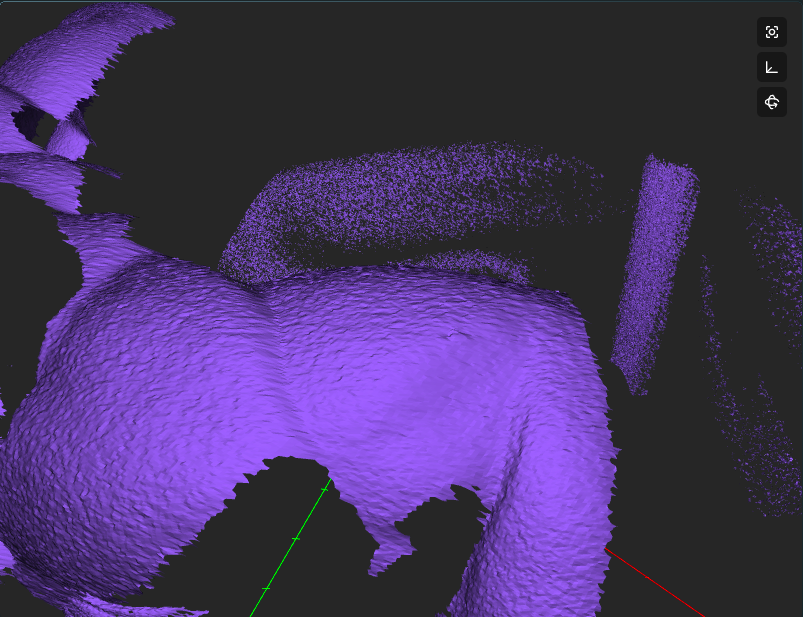
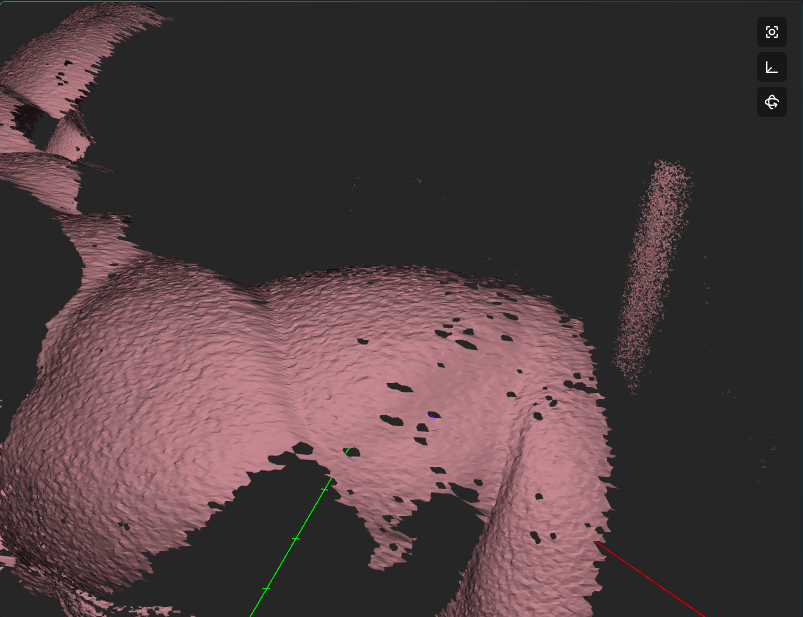
We are also working on a desktop version of the software and so I can do some timing for you easily as that software offloads ALL the processing from the scanner. The default settings will produce a scan in about 4.3 seconds (regardless of quality). If you want to go below the 4 second mark you will have to sacrifice fidelity via changing the number of patterns being projected. This can lead to fuzzier surfaces and more false positives, but still produces a usable scan.
This is a normal scan with patterns 0,3,5,7, without noise reduction. Scan time 4.3 seconds
This is the scan with less patterns (0,5,7), scan time 3.5 seconds. Notice missing points in the background
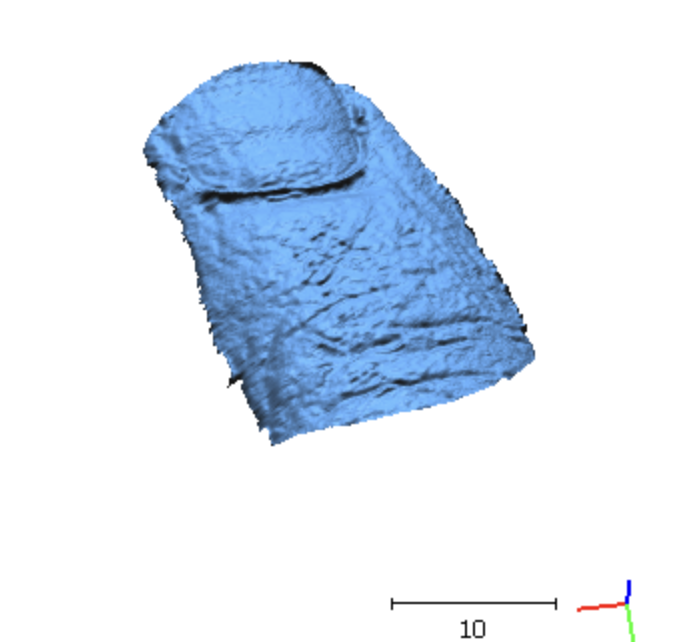
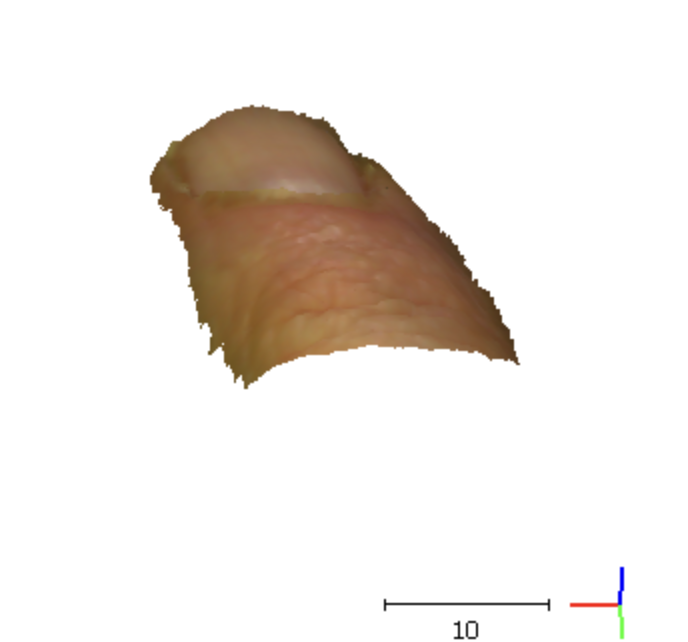
Thanks Drew. This is encouraging. I certainly don't mind rebuilding the camera mount. I wouldn't suppose on-chip camera pixel binning is an option. If frame size dominates scan time, this could help significantly. I'm using a VGA camera in my custom system with 11 SL patterns and achieving sufficient resolution and shorter total scan speed. Here is an example of the general scan quality I'm looking for:
If somewhat more significant customization (e.g. swapping out the cameras) could lead to faster scans with this level of performance and there is a way to turn this into a paid custom project, I'd be happy to discuss more outside the forum.
Hi Jp, yeah I'd love to know more about your project and see what you're building. Please contact us at info at matterandform.net and I'll respond with my personal email.