When scanning a toilet part, I did three scans. Red and Blue are the top, Green is the bottom (you could argue the Blue is redundant).
Note how there is a black gap in the center which causes problems when creating the mesh.
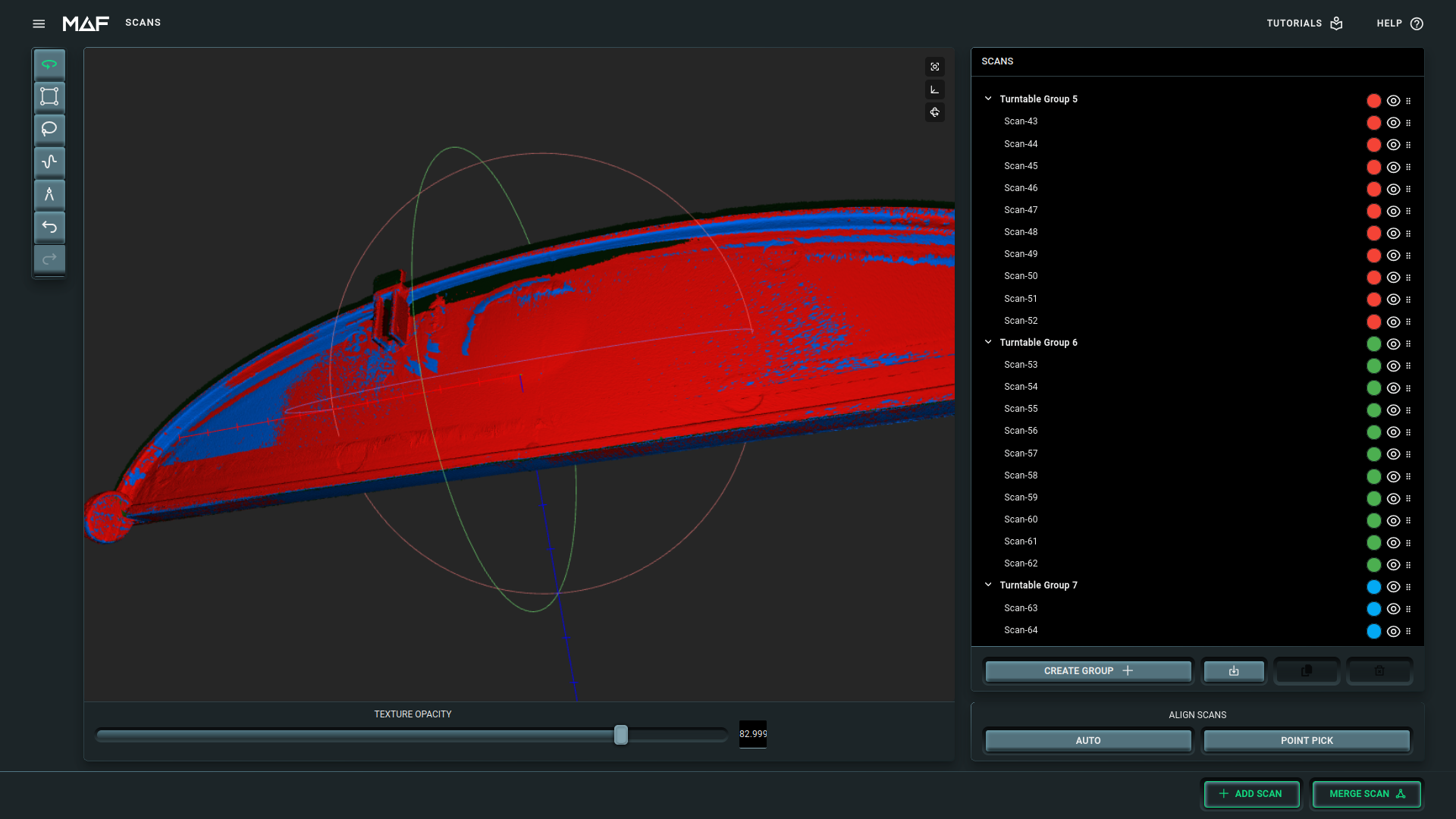
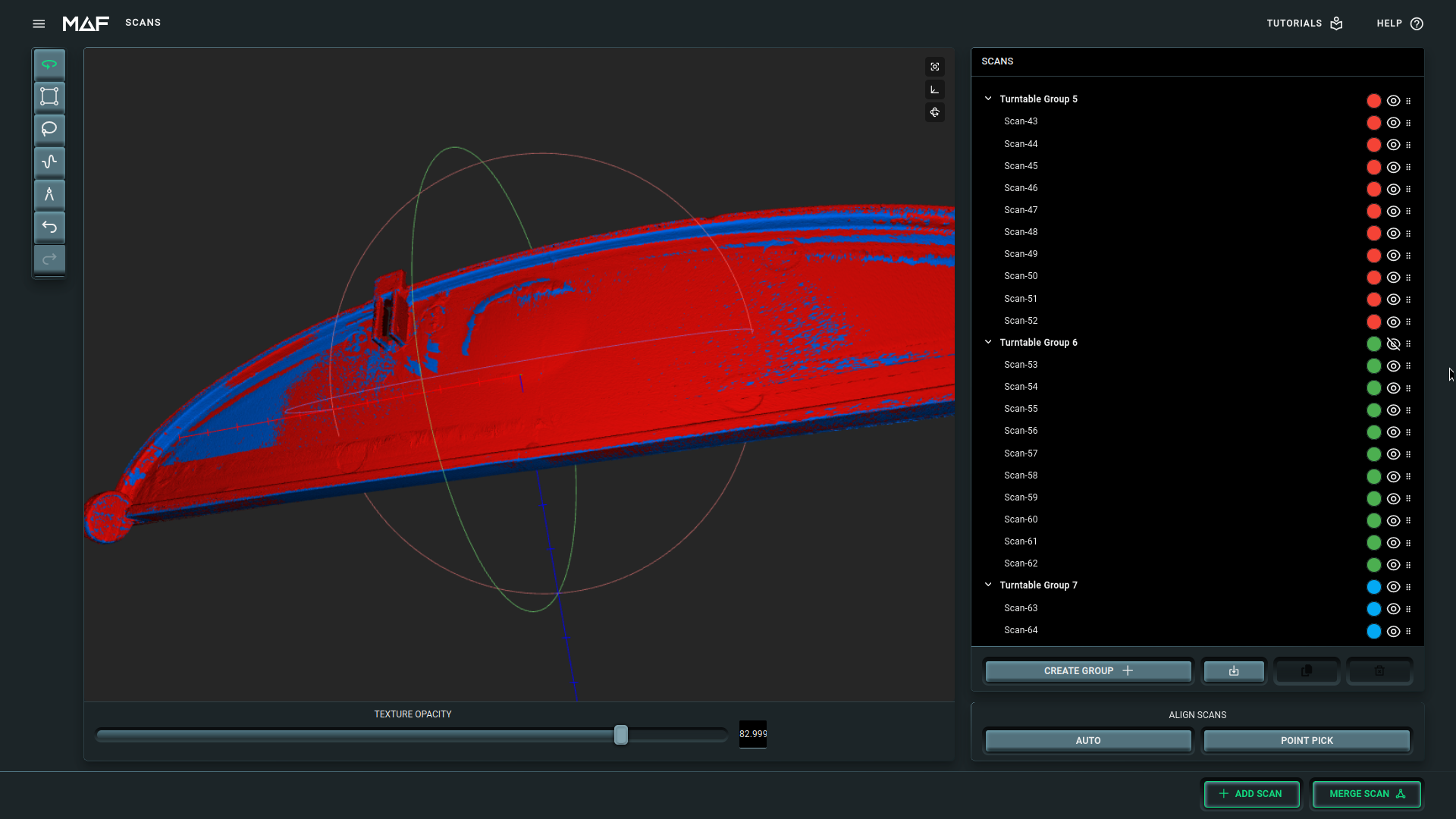
However, when I now hide the Green (turntable group 6), it suddenly looks much better ?!
I am quite surprised by this and I don't know how to solve it. Note that I need this group for the bottom part..
2.14.0.0
2.14.0.0
Could it be texture from some scans?
Have you tried to set texture opacity to zero?
@Christian Gassner I always scan without texture support.
I feel it is alignment related.
2.14.0.0
Hi Paul,
That can happen when one scan, in this case your green one, is not well-aligned with the other scans. Keeping that scan will degrade the overall quality and removing it will improve it.
You can try realigning the green scan to one of the others using point pick to get it more precise, or, if you're happy with the result without the green scan, just delete it.
Interesting observation! It makes sense that leaving out a poorly aligned scan could give a cleaner mesh—one bad piece can really throw off the whole registration. It might be worth trying to realign the green scan more carefully or use point-picking to tighten it up so you can keep all the data.
