The idea to run all the processing only on the THREE device is great but also brings some limitations. E.g. storage space and GPU/CPU processing power.
It would be excellent to have MFStudio SW (Windows) for the THREE which fetches all the scanning images via API from the scanner. And all the processing (cleanup, pointcloud alignment, meshing, texturing, XYZ coordinate alignment, basic measurement tools, etc) can be done on more powerfull PC. Data storage and GPU/CPU processing power is almost unlimited. I really think this would boost the productivity and allow to add even more features like marker detection.
Maybe MF could cooperate with Polyga (also canadian company) who developed FlexScan3d SW which is excellent 3d scanning SW. The structured light scanning process is very similar to MAF3. For developer it should be possible to modify their SW to fetch the images via API from THREE device instead of getting the data from USB3 cameras. As far as i understand they are no longer producing scanning HW so there should be no competition. Just an idea because it's also canadian company and FlexScan3d is great peace of 3d scanning SW.
Another native MFStudio SW for THREE would be also fine. I am sure that user would be also willing to pay extra for such additional SW if it provides more feature (e.g. marker detection) and the processing in faster and more powerfull.
Thanks for the input Christian!
Not use what this answer means ... yes, no, maybe?
I finally decided not to buy the THREE because for me the scanner provides only very basic features. The potential of the device is great from my pov the options in the SW is very much limited. All other standalone 3d scanner on the market from what i know provide also the option to process the data on the PC.
Main reasons for me not to buy MAF3 is the following:
- No markers / global markers are supported
- No HDR capturing (capture images with different exposure settings optimized for white and black parts on the same model)
- No option for fast data processing on the PC without limitation on using highest mesh quality settings.
- No independent capturing process for pointcloud and texture to optimize lightning conditions for both procedures. Dark lightning for 3d scanning, bright lightning (lightbox) for texturing. By this also polarizing filter could be used and object with/without scanning spray could be seperated.
- Basic measurement tools to align scan on coordinate system and perform basic measurements like distance point-to-point, point-to-plane, circle, cylinder, spere. Basic deviation analysis.
Everything mentionend could be added by SW. The competition in the 3D scanning market is simply too strong to rely only on very basic features from my pov.
@Christian Gassner certainly it's your choice what you buy, but your post has inaccuracies, so I'll respond:
- No markers / global markers are supported
- No HDR capturing (capture images with different exposure settings optimized for white and black parts on the same model)
- - NOT CORRECT - You can scan several times at different exposures, which is what HDR does. That said, most 3D scanners will be better using scan spray in this case.
- No option for fast data processing on the PC without limitation on using highest mesh quality settings.
- - CORRECT and by design. Some people don't like this, some people do.
- No independent capturing process for pointcloud and texture to optimize lightning conditions for both procedures. Dark lightning for 3d scanning, bright lightning (lightbox) for texturing. By this also polarizing filter could be used and object with/without scanning spray could be seperated.
- - NOT CORRECT. You can absolutely do two separate scans with different settings, one to get geometry, one to get texture.
- Basic measurement tools to align scan on coordinate system and perform basic measurements like distance point-to-point, point-to-plane, circle, cylinder, spere. Basic deviation analysis.
- - NOT CORRECT - there have been measurement tools and heat mapping in the software for at least the past six months.
HDR is not to capture several scans with different exposure settings. HDR is to combine several scans with different exposure settings into one picture considering only the best exposed area from series of images. All good structured light scanner i know (e.g. Shining3d, FlexScan3d, Rangevision, etc.) have this option, for good reason. Very often you have only very small area (black eye/nose/writing) on object which require other exposure setting and you do not want to have this very litle part in different scan.
Measurement tools. I haven't found and info about measurement tools in any youtube video or release note information. If you have this now, it's great but you somehow should publish new features to make everybody aware.
Ironically we had full HDR in MFStudio but no one ever used it, so it wasn't a priority for THREE.
We talked extensively about the measurement tool and heatmapping in this blog post from January 25:
https://www.matterandform.net/blogs/news/v-10-software-update-this-is-the-big-one
Hi Christian Gassner
Please see this post about the Three Desktop Beta if you're interested
https://www.matterandform.net/community/xenforum/topic/217623/looking-for-beta-testers-desktop-version-for-three
This is really exciting news !!!!
Thanks for coming back on this topic.
@Drew Shark
The THREE Desktop Beta works just amazing !!!!
The speed increase in phenomenal.
It works pretty well and i could not realize any issue while testing (AMD Ryzen 9 5950X, 32GB RAM, Nvidia RTX 2060). This is a great improvement and many MAF3 users will like it.
Because of much more processing power and storage space much higher quality (mesh and texture) even with lot of scans can be done. It would be great to add more high quality options to the desktop version. Like having the option to increase texture resolution (e.g. 4k, 8k) and more control and options for high quality texture mapping. Some blend options for more smooth transition very much appreciated.
Excellent work! Well done!
I wish i could report but the truth is i couldn't find any bug to report so far (AMD Ryzen 7 9800X3D, 32GB Ram, RTX 5080 16GB)
I was able to push the boundaries of what the MAF can mesh complexity wise thanks to this software.
Thanks @Christian Gassner and @Karine-Johanne Charlot for testing it out. I'll add higher resolution textures to the list.
Higher texture resolution would be great! On desktop version the additional power should easily allow this. I really like the desktop version very much which is improving the overall user experience. Great job done!
Beside higher texture resolution it would be good to have some options for texture mapping. For some mappings quite strong border between one picture to another is visible. Some more blending options should help to imrove the texture mapping.
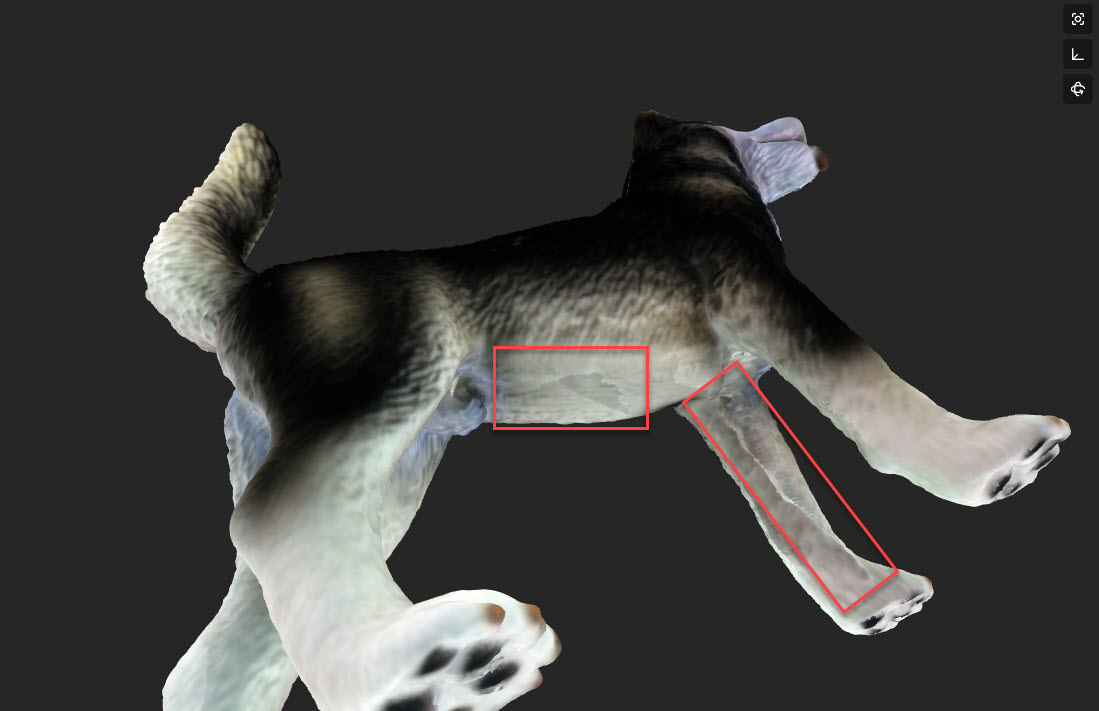
One issue i have realized. For some scans (~5% of the scans) the point cloud looks crap. Some idea how to fix this? I could also provide the project file and even the RAW scan files if needed.
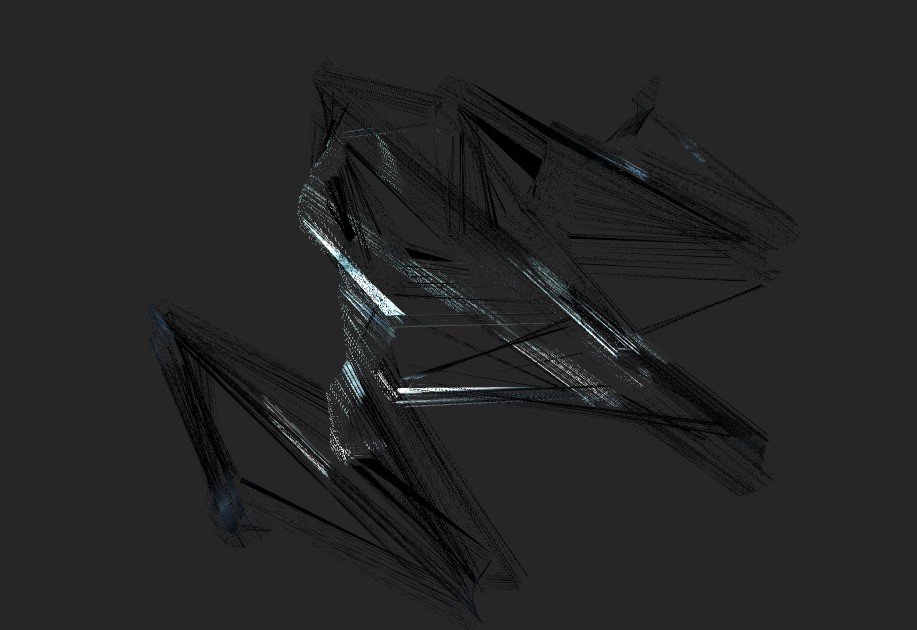
Now hoping for an iOS mac version
